
STELLAR® Converter for OLM
Most Recommended
OLM to PST Converter
Converts all OLM mailbox items
* Free trial version shows preview of the converted emails without ‘To’, ‘CC’, & ‘BCC’ fields.
STELLAR® Converter for OLM
* Free trial version shows preview of the converted emails without ‘To’, ‘CC’, & ‘BCC’ fields.
AN OVERVIEW OF OLM TO PST CONVERTER TOOL
Stellar Converter for OLM is an efficient converter which converts mailbox items such as Inbox, Contacts, Calendars, Tasks, and, Notes, etc. from Outlook for Mac data file (OLM) to Microsoft Outlook data file (PST).
Top Use Cases for OLM to PST Tool

Mac Outlook and Windows Outlook offer a similar user experience in terms of UI, features, and functionality. However, you can’t directly transfer the mailbox from one to another due to OS differences. The OLM to PST converter software from Stellar makes this transfer simple and easy. It offers direct and complete OLM to PST conversion with features, such as OLM preview, search filters, etc.

Stellar Converter for OLM allows you to migrate Mac Outlook’s OLM data to Office 365 account in a few simple steps. Its migration method is direct and there is no risk of data loss. Further, you get to populate your O365 account with mailbox folders in the same structure as in OLM.

Sometimes, Outlook users have to collect mailbox emails and other items in PDF or HTML format for presentations, internal investigations, etc. Stellar Converter for OLM makes it easy to save selective mailbox items in PDF, HTML, and other formats with advanced search filters and file previews. The OLM to PST converter tool also saves considerable amount of time compared to exporting the emails manually.
Top Features of Software

Stellar Converter for OLM converts mailbox items, such as Inbox, Contacts, Calendars, Tasks, and, Notes, etc. from Outlook for Mac data file (OLM) to Microsoft Outlook data file (PST). The OLM to PST converter software maintains the original folder hierarchy, mail settings, and data of your Mac Outlook mailbox during OLM to PST conversion.

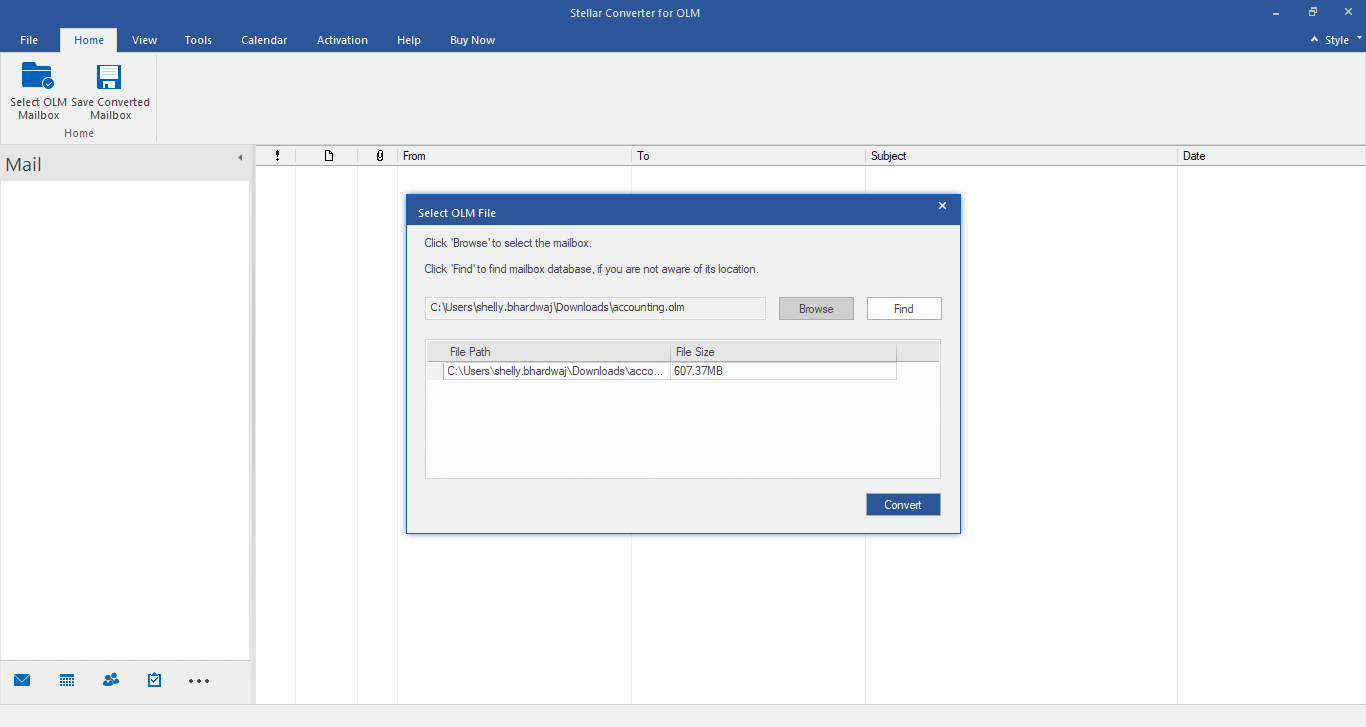
The OLM to PST converter tool provides options, such as ‘Browse’ and ‘Find’, which you can use to locate or search an OLM file in your system. The ‘Browse’ option is particularly useful when there are a number of OLM files in your system, and you don’t exactly know the location of the file. The software searches all the OLM files and lists them on the interface from where you can select the particular file to be converted.

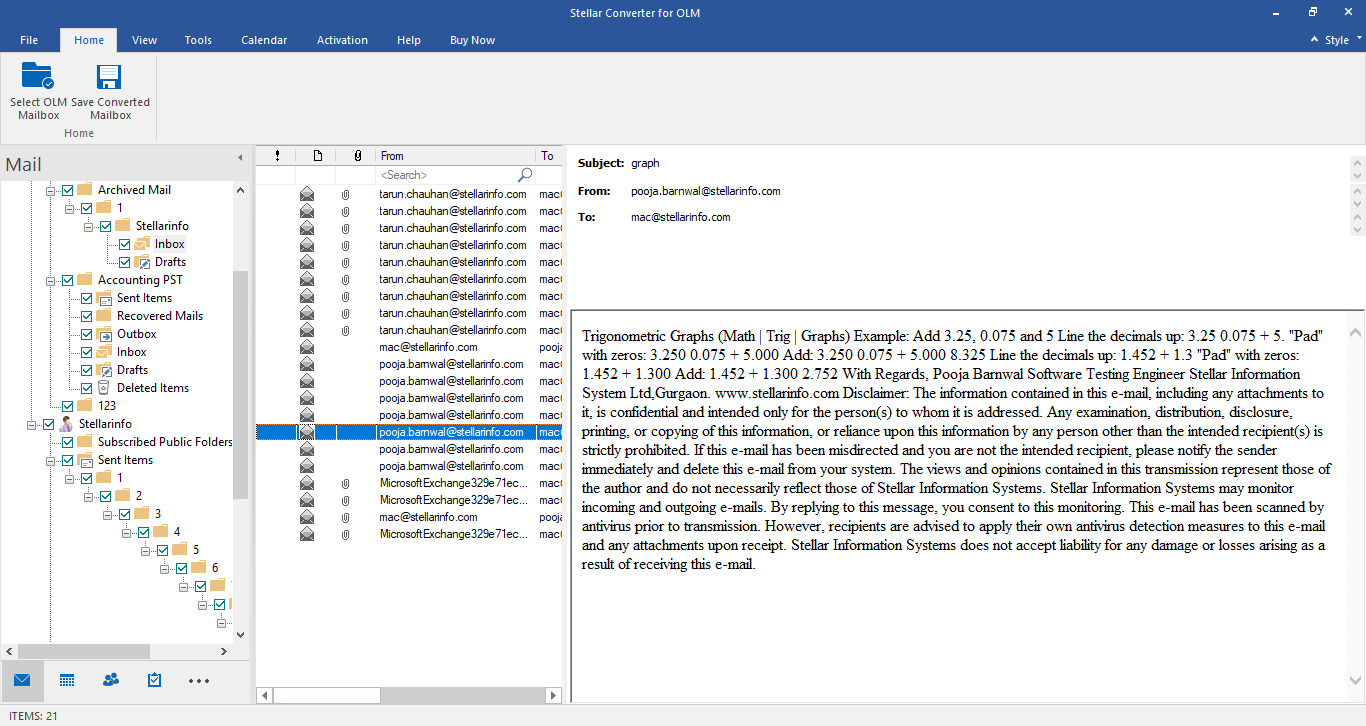
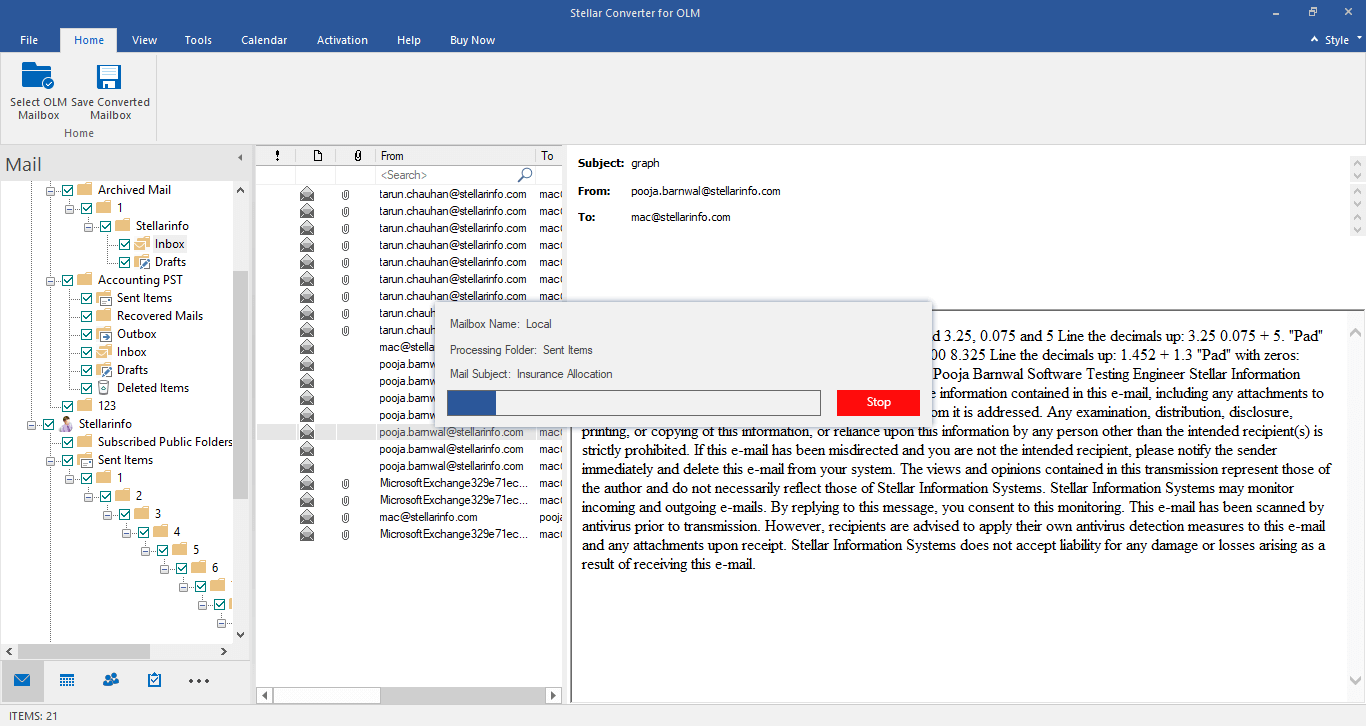
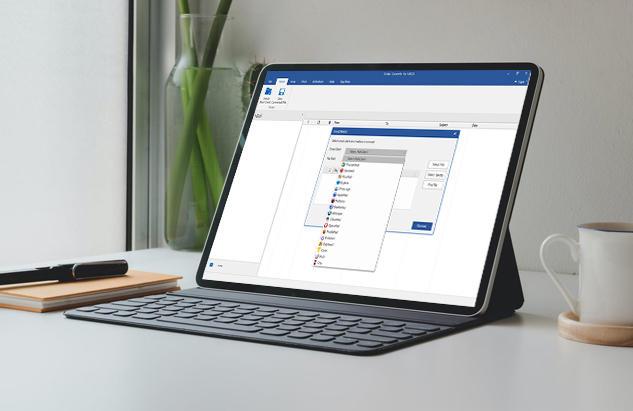
The software helps you verify the accuracy of converted mail items by displaying a free preview of individual mailbox components in a three-pane window. The left pane displays selected the OLM filename and its mail items in a tree structure. You can view the list of converted OLM emails in the middle pane of the interface, while the content of individual mail items is displayed in the right pane.

The OLM to PST converter utility can convert OLM to PST and other file formats, such as MSG (for message) and EML (for email). When saving converted OLM mailbox as PST, you have the choice to append the data into an existing PST or save it in a completely new PST. Further, the software also provides the option to filter the scanned results before saving the converted mailbox.

Stellar Converter for OLM gets timely updates to consistently deliver the desired utility, effectiveness, and overall performance. The ‘Update Wizard’ option of the OLM to PST converter software will notify you of any new updates available for download. The minor software updates are available free of cost except for the major updates that require registration.

The application allows you to save the Log Report of the OLM to PST conversion process, thereby helping you to analyze the conversion at a later stage. Log report captures all the conversion process details alongwith any issue reported in the process initiated for conversion. To view the Log report, you just need to select “Log Report” option from the View menu.

OLM to PST conversion can be performed on systems running on Windows 11, 10, 8, 8.1, and 7 Operating System. Further, the converted emails can be successfully accessed on both 32-bit and 64-bit versions of Outlook 2021, 2019, 2016, 2013, 2010, 2007, and 2003.

Try the Stellar Converter for OLM Technician for more extensive features, such as the ability to convert and save OLM file in multiple file formats. Essentially, the Technician edition of the software allows exporting the converted OLM to PST, EML, MSG, HTML, RTF, and PDF. It also enables you to export the OLM file data to Office 365 directly. Try it now
 Free Download 100% Secure
  Buy Now
* Free trial version shows preview of the converted emails without ‘To’, ‘CC’, & ‘BCC’ fields.
About Product
Version
6.0
Release Date
January, 2026
License Usage
Can use only on a single system
Version Support
MS Outlook 2021, 2019, 2016, 2013, 2010, 2007 for Windows & 2019, 2016, 2011 for Mac
Edition
Standard & Technician
Language Supported
English
System Requirements

Processor
Pentium Class
Operating System
Windows 11, 10, 8.1, 8
Memory
4 GB minimum (8 GB recommended)
Hard Disk
250 MB of Free Space
Follow these instructions to export OLM file to PST:
NOTE : If you don’t know the location of your OLM file, click the ‘Find’ button in the OLM to PST converter software to search for the file automatically.
To access your mailbox data, import the resultant PST file into Outlook.
Once you have converted your Outlook for Mac 2011 or 2016/2019/2021 (OLM) data to PST format, the next step involves importing the converted OLM file to Outlook 2010 or other versions. The procedure to import the file to Outlook 2010 is as follows:
Yes, however, the mailboxes should be in a single OLM file for converting them to PST, Office 365, or any other required format by using Stellar Converter for OLM.