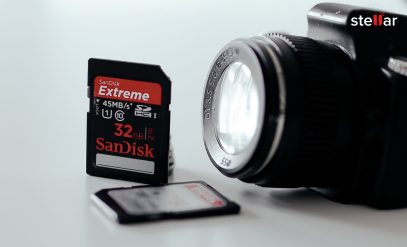
GoPro, DJI & DSLR Data Recovery: Recover Lost SD Card Footage
-
Written By Somdatta De

- Approved By Nischal
-
 Updated on February 6, 2026
 -
 Min Reading 7 Min
 - Share


You check your camera after the shoot of a lifetime, only to find a dreaded SD Card error or a missing file where your hero shot should have been. You could be a wedding photographer dealing with corrupted CR3 files or a drone pilot whose DJI Mavic crashed before you finalized the video, and you’re probably all too familiar with that sinking feeling of panic!
We come across this exact scenario in our labs every single week. And there’s good news: access lost or format error messages are rarely the end of the story. Common symptoms we successfully resolve in our lab include:
- “Card cannot be accessed” or file system errors.
- Video files that appear as 0 KB or are missing entirely.
- “Video Format Not Supported” errors when trying to play the video.
- Corrupted MP4 or broken MOV headers that prevent playback.
Why does this happen? Modern cameras like the GoPro Hero 13 or Canon R5 don’t just write simple files. They manage complex data streams and create high-resolution video alongside proxy files (LRV) and thumbnails (THM) simultaneously. When this process is interrupted by a battery pull or a crash (or even a cheap SD card), the file structure collapses.
Your data is usually still there; your computer just doesn’t know how to read it yet. That’s where we come in. Our specialized SD Card Data Recovery service helps retrieve lost photos, RAW files, and corrupted videos from memory cards used in cameras, drones, and action devices.
Why Your High-End Footage Gets Corrupted
Data loss in professional gear isn’t bad luck. It’s usually a failure of the finalization process. When you hit record, your camera opens a container file like MP4 or MOV and starts pouring binary data into it. It doesn’t write the index or header (the moov atom) until you hit stop.
If your drone loses power mid-flight or your GoPro freezes, that index never gets written. The video data sits on the card as a confused jumble of 0s and 1s that no media player can interpret. At the file system level, this means the device never sends the finalization signal telling the card that the write operation completed successfully. There are four reasons why this happens.
🔋 Power Interruption Stops Metadata Writing
If the battery dies during recording, the camera cannot write the moov atom at the end of the file, leaving the video unplayable even though the video data exists.
💾 Fragmentation Scatters Video Blocks
High-resolution cameras write data in non-contiguous clusters across your SD card to keep up with write speeds. For example, a 15-minute-long 4K/8K video might scatter across hundreds of non-contiguous locations, which makes recovery difficult without the original file map.
🌡️ Thermal Shutdown Corrupts Headers
Action cameras can overheat and shut down randomly, which leaves your file system in a dirty state where the last few seconds of footage exist but aren’t linked to the file name.
🤕 Physical Impact Damages NAND Gates
A drone crash can physically crack the microscopic solder joints on a microSD card. Such mechanical damage requires microscope-level soldering in an ISO-certified lab to access the raw memory chip.
Why Free Video Repair Software Fails on 4K Footage
Many users try Windows utilities like CHKDSK or basic SD card recovery software. While these might work for recently deleted JPEGs, you’ll find that they fail with high-definition video.
Because cameras like the Sony A7S III or GoPro Hero 12 use “fragmented writing,” free tools recover your data in a jumbled order. The result is a “choppy” or stuttering video that will play without sound and stop midway. Stellar’s video recording recovery experts use proprietary algorithms to map these fragments specifically for XAVC S, ProRes, and HEVC (H.265) formats. Let’s see how.
GoPro Recovery: Breaking Down the File Structure

GoPro cameras handle massive 5.3K files by breaking your long recordings into 4 GB chapters while simultaneously writing low-resolution video (LRV) and thumbnail (THM) files. This complex structure is exactly why generic recovery tools fail.
When a card corrupts, standard tools often recover the raw data but cannot stitch the chapters back together, leaving you with disjointed, 5-second clips. The critical linkage data—the map telling the player how to connect these chapters—is missing.
GoPro Data Recovery at Stellar
Our GoPro recovery specialists solve this by rebuilding the moov atom (header) using a healthy reference file. We often use the smaller, surviving LRV file as a “navigation map,” analyzing binary timestamps to locate scattered video sectors and reassemble your footage into one seamless timeline.
DJI Drone Data: Cache vs. Card Recovery
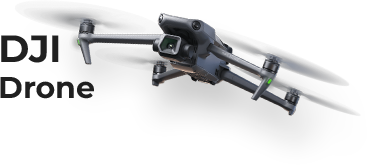
If you fly drones, you know the pain. You have a blurry, low-res video cached on your phone, but the crisp 4K footage on the SD card is a ghost (either it says 0 KB or it just refuses to open).
This usually happens because of a sudden power cut. When a DJI drone crashes, the G-force often knocks the battery loose a split-second before the file saves. The video data is actually sitting on the card, but the drone never got the chance to write the “closing signature” to tell the file system the recording was finished.
DJI Drone Data Recovery at Stellar
Standard recovery apps usually give up here because they just can’t speak DJI’s language. They can’t see the unique video signatures hidden in the data stream. Our in-lab experts bypass those standard tools entirely. We dig into the “dirty sectors” of the card and correlate the crash time with the fragmented data, and manually stitch those blocks back together to get your high-quality footage back.
DSLR and Mirrorless Cameras: Saving RAW Images

For Canon, Nikon, and Sony shooters, the stakes are different. You aren’t just losing a simple video file; you’re losing massive RAW data (CR3, NEF, ARW) that acts as your digital negative.
We see this constantly with “buffer lockup.” You blast a burst of 20 photos, fill the buffer, and then flip the power switch while the little access light is still blinking. The result? Half your images show up as pink static, or your computer says “Unsupported Format.”
Similar corruption issues are also common in surveillance systems. If your incident footage is missing or unplayable, our CCTV Footage Recovery service helps retrieve deleted or damaged recordings from DVRs, NVRs, and security cameras using advanced forensic techniques.
DSLR Data Recovery at Stellar
- The “Silver Lining”: Often, the picture itself is perfectly fine; it’s just the header (the label on the digital box) that’s garbled. We can simply rewrite that header so Adobe Lightroom or other editing software can recognize the camera model again.
- Accidental Formatting: If you formatted in-camera, don’t panic. Most cameras perform a “high-level” format that leaves the data sitting underneath. Just don’t use “secure erase,” or that data will be gone for good.
- The Backup Plan: Even if the raw sensor data is toast, RAW files carry a full-size JPEG preview inside them. We can extract that embedded JPEG to save the shot (and your client relationship!).
Recovery Scenarios and Success Rates
Different types of data loss have different recovery paths and outcomes. Understanding where your footage sits in this spectrum will help you understand what’s possible.
| The Scenario | What Actually Happened | Urgency Level | Success Rate |
|---|---|---|---|
| Accidental Deletion | The file is hidden, but the data blocks still exist on the chip. | High: Stop using the card immediately to avoid overwriting. | 🟢 90%–100% |
| Mid-Record Cutoff | The battery died, or drone crashed. Data exists but has no “header.” | Medium: Data is safe as long as you don't format the card. | 🟡 80%–100% |
| Water / Salt Damage | Corrosion is eating the metal contacts or controller chip. | Critical: 24–48 hours before corrosion makes it unrecoverable. | 🟠 65%–100% |
| Cracked / Bent Card | Physical damage to the internal NAND memory storage chips. | Low Urgency: Damage is done; requires microscopic soldering and chip-off recovery. | 🔴50%–100% |
| Overwritten Data | You recorded a new video over the space where the old video was. | Fatal: The original binary data has been physically erased. | 🔴 ~0% (Impossible for overwritten bits) |
The Golden Rule: If you ignore everything else in this table, remember this: Deletion is temporary, but overwriting is permanent. If you delete a file, we can recover it. If you film a new 20-minute video after deleting that file, you will likely have destroyed the original footage forever. Stop recording immediately!
Once you stop recording, the safest next step is to consult Stellar Data Recovery’s professional team to prevent permanent overwriting and further data damage.
When to Call Stellar’s Experts
If you’ve tried swapping cables and basic checks and the data is still missing, stop immediately. Every time you plug your SD card into a computer, the operating system tries to fix it by writing hidden index files. This overwrites the very data you’re trying to save.
Stellar Video Recovery Experts in India handle cases that software cannot touch. We don’t just scan your SD cards. We physically dismantle them to read memory chips directly when necessary. With Stellar, you get:
🏥 ISO-Certified Labs
We open physically damaged drives and cards in a contaminant-free environment to prevent microscopic dust and static from damaging NAND chips.
🔐 ISO-Certified Security
Your footage is your intellectual property. Our labs are ISO 9001 and ISO 27001 certified, ensuring strict data privacy during recovery.
🔬 Chip-off Forensics
For cracked or water-damaged microSD cards, we bypass the card’s internal controller and read NAND flash memory directly using specialized hardware readers.
🧠 Proprietary Recovery
We’ve developed custom scripts specifically for reassembling fragmented video from GoPro, DJI, and professional cinema cameras that commercial tools cannot recognize.
Contact Stellar’s video recovery service today to recover your lost footage.
Facing other camera or SD card-related issues? Explore our detailed guides below to fix common memory card errors and recover lost photos and videos safely:
FAQs
1. Can you recover footage if I formatted my SD card in-camera?
Yes, in most cases. Formatting clears the file allocation table but leaves actual video data on the chip. If you continue recording after formatting, the old data gets permanently overwritten. Stop using the card immediately and send it to a professional data recovery service like Stellar.
2. Why does my recovered video play but stutter or lack audio?
This happens when recovery software finds video data but fails to link audio or metadata streams correctly. It’s common with fragmented files from GoPro and DJI cameras. Professional services like Stellar can manually rebuild these streams to restore smooth playback.
3. My drone fell in water; is the SD card dead?
Not necessarily. MicroSD cards are surprisingly water-resistant. Corrosion usually affects the metal contact pins first. Don’t try to power it up or clean it with harsh chemicals. Send it to a professional lab like Stellar for contact cleaning or chip-off recovery if your controller is shorted.
About The Author

Somdatta is a professional content writer and analyst focused on the storage technology sector, with expertise in both magnetic and flash storage, as well as cloud computing and virtualization concepts. She translates technical concepts into clear, engaging content to sensitize readers toward a multitude of data loss scenarios and help them gain insights into the nuances of data recovery.