The demand for storage capacity continues to grow, yet the physical size of a hard drive remains fixed. Shingled Magnetic Recording (SMR) is one of the principal technologies developed to address this constraint. In an SMR drive, adjacent tracks on each platter overlap slightly, allowing a greater volume of data to be stored in the same physical space. The technology has been adopted by leading Original Equipment Manufacturers (OEMs), including Western Digital, Seagate, and Toshiba, and it supports higher capacities at a lower manufacturing cost. This advantage is most significant in cloud-scale storage environments, where a small saving on each drive multiplies over thousands of units.
The design does carry limitations. SMR drives perform well with large files that are written once and seldom modified, whereas frequent rewriting reduces performance because overlapping tracks must be rewritten together. Failed SMR drives also require a specialised recovery approach that differs from the one used for conventional drives.
What Is SMR?
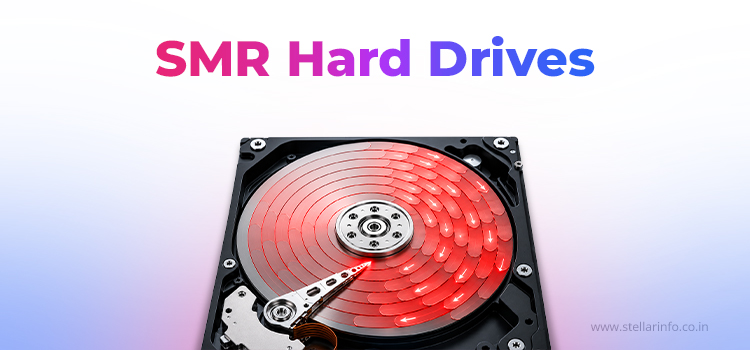
Shingled Magnetic Recording (SMR) is a magnetic recording method that increases areal density by reducing the track pitch, the distance between neighbouring tracks on a platter. In conventional recording, a narrow guard space separates each track from the next. SMR removes this space and writes every track with a partial overlap onto the edge of the preceding one. A larger number of tracks can then be placed on the same platter.
The overlap changes the nature of the write operation. A track can no longer be rewritten in isolation, because doing this would overwrite part of the adjacent track. Data must therefore be written in sequence, and any change to existing data requires the affected neighbouring tracks to be rewritten also.
What Is the Science Behind Shingled Recording?
SMR makes more sense once you see how conventional drives work. Conventional Magnetic Recording (CMR) leaves a small gap between neighbouring tracks. That gap allows each track to be rewritten independently and keeps interference to a minimum.
To store more data, manufacturers need to squeeze tracks closer together. This is where they run into a physical limit, because the drive head has two elements of different sizes.
- The write element must generate a strong magnetic field to record data reliably, which necessitates a relatively wide element.
- The read element needs only to detect the recorded signal, which permits a much narrower element.
SMR exploits this asymmetry. The wide write element lays down overlapping tracks, and the narrow read element reads the strip of each track that remains uncovered. The outcome is a greater number of tracks, and therefore a larger volume of data, on the same platter.
Why Do Overlapping Tracks Complicate Data Updates?
Overlapping tracks save space, but they change the way updates are handled. If data on an earlier track changes, rewriting that track can overwrite part of the next one. The drive or computer must first protect the neighbouring data, then rewrite it as part of a larger operation.
SMR systems address this in two broad ways.
- In drive-managed designs, the drive performs the work internally.
- In host-managed designs, the drive passes its zone rules to the computer, which then manages the writes.
Anatomy of an SMR Drive and Its Core Components
From the outside, an SMR drive looks like any other hard drive. Inside, a few additional parts work together to manage the overlapping tracks, as shown in the table below.
| Component | Role |
|---|---|
| Write Head | Wide magnetic element that records overlapping tracks |
| Read Head | Narrow element that reads the uncovered part of each track |
| Shingled Bands or Zones | Groups of overlapping tracks, with a guard band separating one band from the next |
| Media Cache | Temporary area that stores incoming random writes before they are written in order into a band |
| Translation Layer or Mapping Tables | Records showing where each piece of data physically lives on the platter (handled by firmware in DM-SMR and by zone-aware software in HM-SMR) |
| Conventional (CMR) Zones | Small non-overlapping areas on many SMR drives, often used for metadata and caching |
How Does an SMR Drive Write Data?
The write process varies slightly between SMR types, but the general sequence is as follows.
- The drive or the host computer determines where new data can be placed within a zone.
- Data is written in the order that the zone requires.
- If existing data must change, the neighbouring data affected by the overlap is protected first.
- The update is applied through caching, data relocation, or rewriting of the band.
- Valid data is reorganised, and the area becomes available for new writes.
Overlapping tracks come with a cost, and these extra steps are it. That’s why an SMR drive can handle one workload well and slow to a crawl on another.
What Are the Different Types of SMR?
SMR drives are classified into three types based on the component responsible for managing overlapping tracks. This component may be the drive, the host computer, or both.
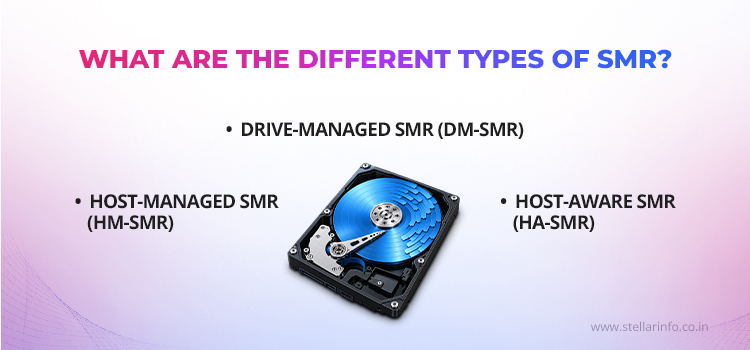
Drive-Managed SMR (DM-SMR)
In DM-SMR, the drive firmware manages the zones internally and presents the drive to the host computer as a conventional hard drive.
- Operates with any standard operating system and requires no special software
- Conceals its internal zone layout from the host computer
- Shows a noticeable decline in performance under frequent random writes
- Commonly used in desktop, external, and backup drives
In 2020, several manufacturers drew criticism after DM-SMR drives appeared in NAS product lines without clear labelling. Manufacturers have since published lists that identify their SMR models.
Host-Managed SMR (HM-SMR)
In HM-SMR, the host computer assumes control of zone management. The drive exposes its zone layout, and the host must write data in the sequence that each zone requires.
- Requires zone-aware software, such as Linux zoned block device support or a zone-aware file system
- Follows the ZBC (SCSI) and ZAC (SATA) command standards
- Returns an error when data is written out of sequence, instead of reorganising it automatically
- Provides greater control over data placement and more consistent performance
- Used mainly in large cloud and data centre environments
Host-Aware SMR (HA-SMR)
HA-SMR occupies an intermediate position between the two other types. The drive exposes its zone information to the host computer but can still operate as a standard drive when the host does not apply zone rules.
- Allows the host computer to use zone details for more efficient data placement
- Handles workloads that are not zone-aware without error
- Less widely used than the other two types
DM-SMR vs HA-SMR vs HM-SMR at a Glance
Here is a quick side-by-side comparison of the three types.
| Feature | DM-SMR | HA-SMR | HM-SMR |
|---|---|---|---|
| Who Manages Writes | The drive | The drive, with optional help from the computer | The computer |
| Software Support | Any standard operating system | Standard systems; works better with zone-aware software | Zone-aware software only |
| Performance Consistency | Low under heavy random writes | Moderate | High when managed correctly |
| Typical Use | Desktop, external, and backup drives | Mixed environments | Large cloud and data centre storage |
SMR vs CMR. What Is the Difference?
The principal difference between SMR and CMR lies in the layout of tracks on the platter. This single characteristic influences capacity, cost, and write speed, as the comparison below shows.
| Factor | SMR | CMR |
|---|---|---|
| Track Layout | Overlapping tracks | Separate tracks with gaps |
| Capacity Per Platter | Higher | Lower |
| Cost Per Terabyte | Lower | Higher |
| Sequential Write Speed | Strong | Strong |
| Random Write Speed | Can drop sharply under heavy random writes | Steady |
| NAS and RAID Suitability | DM-SMR not recommended | Recommended |
| Best Suited For | Archives, backups, and write-once data | Everyday use, NAS, RAID, and databases |
What Are the Technical Challenges of SMR?
Increasing storage density introduces several practical challenges. Some affect performance, while others influence how the drive integrates into a wider storage environment.
| Challenge | Why It Matters |
|---|---|
| Sequential Write Rules | Some SMR types need data written in order within each zone |
| Data Relocation | Updating data can mean moving or rewriting nearby data |
| Write Amplification | A small update can trigger many extra writes inside the drive |
| Variable Performance | Heavy or random writes can fill the media cache and slow the drive down |
| Zone Management | Host-managed drives need software that follows the zone rules |
| RAID Rebuild Problems | Long write sessions during a rebuild can slow DM-SMR drives severely or cause timeouts |
| Recovery Complexity | Damaged mapping data, firmware faults, or physical damage can make data inaccessible |
Where Do SMR Drives Perform Best?
SMR drives demonstrate optimal performance in workloads characterised by large, sequential writes and infrequent subsequent modification. Representative applications include the following.
- Cold storage and long-term archives
- Backup targets
- Write-once-read-many (WORM) workloads
- Large sequential datasets, such as CCTV footage, media libraries, and cloud object storage
What Causes SMR Drive Failures?
SMR drives can fail for the same reasons as any other hard drive. The difference is that their zone and mapping system adds another layer, which can make recovery more complex.
Logical and Firmware Failures
Some failures leave the hardware undamaged but disrupt the way data is organised or accessed. Typical causes include the following.
- File system corruption following a power loss or an interrupted operation
- Damage to the metadata that the drive requires to read stored data
- Firmware faults that affect drive detection or data management
- Corrupted mapping or zone information that prevents normal access
Distinct faults can produce identical symptoms. A proper diagnosis should therefore precede any recovery attempt.
Physical Failures
Other failures involve damage to the drive's internal components or electronics. Examples include the following.
- Damaged read/write heads
- Spindle motor failure
- Scratched or worn platter surfaces
- Faulty PCB or electronic components
SMR technology does not reduce these physical risks. Opening a drive outside a controlled environment can allow dust to enter, causing further damage to the platters.
Wrapping Up: Why Choose Stellar for SMR Data Recovery?
Recovering data from a failed SMR drive differs from conventional recovery in one important respect. Because data is written through a translation layer, the logical address of a file rarely matches its physical location on the platter. Recent writes may also remain in the media cache, waiting to be moved into their bands. A standard sector-by-sector copy therefore tends to produce an image in which files appear incomplete or out of order.
Professionals address this by first creating a full image of the drive using specialised hardware, thereby limiting further stress on weak components. The translation tables stored in the firmware are then read and rebuilt, allowing each block of data to be returned to its correct logical position. Where the heads or motor have failed, compatible donor parts are fitted in a cleanroom before imaging continues. Only after the image has been correctly mapped can the file system be repaired and the files extracted.
Stellar Data Recovery has extensive experience in firmware-level recovery on SMR and CMR drives from leading manufacturers, and every drive is examined in an ISO-certified Class 100 Cleanroom. For a failed or inaccessible SMR drive, contact Stellar Data Recovery to arrange a professional assessment and improve the chances of a successful recovery.
Explore these related guides to learn how SMR compares with other HDD recording technologies, how HAMR and helium-filled drives operate, and how recording architecture can affect hard drive performance and data recovery.
FAQs
SMR drives slow down mainly during random writes. Changing data inside a written band can force the drive to read, update, and rewrite the entire band. A drive-managed SMR drive first stores new writes in its media cache. Once that cache becomes full, the drive must reorganise data band by band, which takes considerably longer.
SMR drives are generally not recommended for RAID and NAS arrays. Long write sessions can fill the media cache and sharply slow the drive during a RAID rebuild. There is a chance that controllers may then mark the drive as failed. This lengthens the rebuild and increases the risk of data loss. CMR drives are the safer choice.
The most reliable method is to check the manufacturer's specification sheet or official model list, as retail packaging does not always mention SMR. Western Digital, Seagate, and Toshiba each publish lists of their SMR models. Searching for the exact model number along with the terms SMR or CMR can also quickly confirm the recording type.
Data can often be recovered from a failed SMR drive, although the method depends on the nature of the fault. Logical problems may need disk imaging and file system repair, while firmware faults may require mapping reconstruction. Physical damage calls for donor parts and cleanroom work. A professional diagnosis before any recovery attempt offers the best chance of success.
The main difference between SMR and CMR is how the tracks are laid out on the platter. SMR drives overlap their tracks so that more data fits on each platter, while CMR drives keep every track separate. This gives SMR more storage at a lower cost per terabyte. CMR, on the other hand, delivers steadier write speeds, which makes it a better match for NAS, RAID, and database workloads.


About The Author

Professional Content Writer and Analyst