Most Linux file systems store metadata in relatively simple structures called inodes (index nodes), and data recovery tools built around that structure are well established.
Btrfs works differently. Its B-tree architecture is a key part of what sets it apart from older Linux file systems such as ext3 and ext4, giving it capabilities they lack, such as snapshots and built-in checksumming. That same architecture also shapes how experts approach Btrfs data recovery when something goes wrong.
Snapshots and command-line tools such as btrfs check are the two mechanisms experts typically turn to following unexpected data loss. Neither is without limitations. Understanding what each one can and cannot do is what allows a recovery expert to use them safely, without triggering further data loss or a failed recovery attempt.
What Is a Btrfs B-Tree, and Why Does Its Structure Matter for Data Recovery?
Btrfs organises its metadata, such as inodes, directory entries, extent references, and checksums, into a set of B-trees. Each item is located using a 136-bit key composed of three parts: an object ID, an item type, and an offset. Internal nodes hold only these keys along with pointers to child nodes, while the actual data resides in the leaf nodes further down the tree.
A Root Tree serves as the top-level directory and contains root pointers to several other trees, including the following.
- The FS Tree, for each subvolume's file data
- The Extent Tree, for disk space allocation
- The Chunk Tree, for logical-to-physical address mapping
Btrfs spreads metadata and data across the volume, but the Root Tree is what ties it all together and makes everything locatable. That design matters most in a Btrfs data recovery scenario. Because each tree governs one distinct category of information, corruption confined to a single tree can still cut off access to everything that tree manages. Lose even a handful of Chunk Tree nodes, for instance, and the mapping between logical and physical addresses breaks down entirely. The underlying file data may remain undamaged on the drive, unreachable only because the translation layer connecting it has failed.
How Does Copy-on-Write Make Btrfs Snapshots Possible?
Copy-on-Write is what allows Btrfs to create snapshots without copying any data. Btrfs never overwrites a block already in use, and that one rule cascades all the way up the B-tree and out to every snapshot on the volume.
Btrfs writes new content to an unused block, updates the pointer in the FS Tree to reference it, and leaves the old block untouched on disk.
Because B-tree nodes follow the same rule, that single pointer change cascades upward through a new leaf, then a new parent above it, and so on until a new root node is written. Older nodes stay on disk until a later transaction marks them reclaimable in the Extent Tree.
A snapshot is simply a second FS Tree root, created without copying any data. At the moment it is taken, it is identical to the original and shares all its physical storage.
The Extent Tree keeps a reference count for every block. A block is freed only once every tree referencing it, whether a live subvolume or a snapshot, has released it.
How Do Snapshots Help With Btrfs Data Recovery?
Snapshots give Btrfs data recovery two possible routes when the live file system state is damaged, because they preserve older versions of the B-tree structure.
- An older, valid root. A recovery professional runs btrfs-find-root to locate older tree roots on disk. A root qualifies once it is structurally valid and comes from a transaction that completed before the corruption event. From there, btrfs restore can access that tree and extract files.
- A still-navigable snapshot tree. When a subvolume's primary metadata is damaged but its snapshot tree remains usable, the snapshot's own pointers to the shared physical data blocks offer a separate route to the file content that the corrupted primary tree can no longer provide.
Both routes depend on specific conditions holding true. Snapshots are not a universal safety net, and several common scenarios limit or completely remove their recovery value, covered next.
When Do Btrfs Snapshots Fail to Help With Recovery?
Snapshots share fate with the live file system in more ways than most administrators expect, which is why they are not a universal safety net.
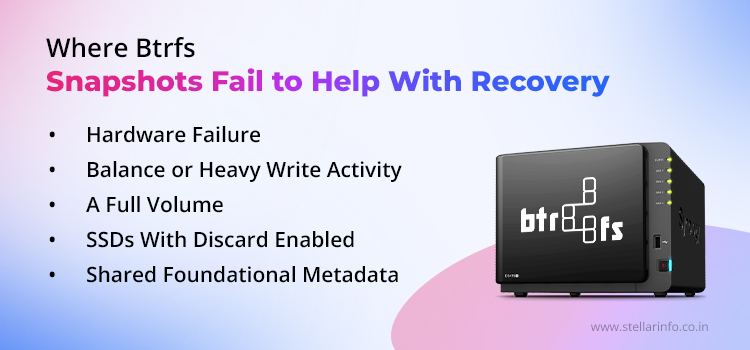
- Hardware failure. A snapshot lives on the same physical media as the subvolume it was taken from. A mechanical breakdown, controller malfunction, or physical damage to the platters or NAND takes the snapshot down along with the live data. This is the core reason snapshots cannot replace backups stored on separate storage. When this happens, professional data recovery services may be needed to recover data from the affected storage media.
- Balance or heavy write activity. A btrfs balance operation, or an extended period of heavy writes, reclaims the old blocks that historical tree roots and snapshot data occupy. Once new allocations overwrite them, the earlier states are gone for good.
- A full volume. When a volume fills to capacity, Btrfs can enter a read-only lockout. Removing a snapshot to free space also requires a Copy-on-Write operation that needs new metadata blocks, and none remain to allocate. Normal file system commands cannot clear the resulting deadlock.
- SSDs with discard enabled. The drive controller can zero out physical NAND cells as soon as files are deleted. Once the cells are wiped at the hardware level, no metadata reference can recover the content, because the underlying bits no longer exist.
- Shared foundational metadata. Snapshots depend on the same superblocks, Chunk Tree, and Extent Tree as the rest of the volume. Corruption in any of these shared structures blocks access to both snapshots and live data.
What Causes a Btrfs Volume to Become Corrupted?
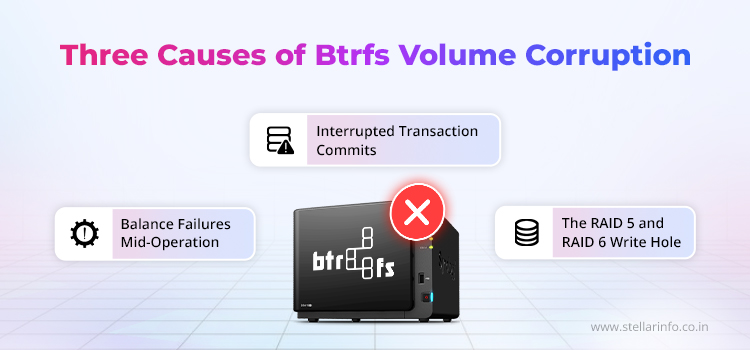
Under normal conditions, Btrfs maintains crash consistency through its Copy-on-Write transaction model. Even so, hardware malfunctions, interrupted maintenance operations, and known vulnerabilities in certain RAID profiles can still leave a volume unmountable or force it into read-only mode. Three causes account for most of these cases.
What Is the "parent transid verify failed" Error, and What Causes It?
This error means a child node in the B-tree carries a generation number its parent does not expect, a sign the tree path is internally inconsistent and cannot be trusted. Power loss during a transaction commit is the most common cause.
- Btrfs groups related writes into a single transaction and commits them as one atomic unit.
- If the system loses power or crashes before a commit finishes, some B-tree nodes end up referencing the new transaction generation while others still point to the previous one.
- The kernel detects that inconsistency and reports the parent transid verify failed error.
What Causes Btrfs Balance to Fail and Corrupt a Volume?
The btrfs balance command relocates data and metadata chunks between devices or RAID profiles. A crash mid-operation can corrupt the volume in three distinct ways.
- It can leave the Chunk Tree referencing both old and new physical locations for the same logical address, while the Extent Tree can no longer tell which blocks are free.
- On a nearly full file system, balance can fail outright due to insufficient temporary workspace.
- If the file system is already slightly corrupted, the operation can hang indefinitely, an uninterruptible state that worsens the original damage.
Which Btrfs RAID Modes Are Safe, and Which Are Not?
Btrfs-native RAID 1 and RAID 10 are considered stable. RAID 5 and RAID 6 are not, and both remain vulnerable to data loss through a known write-hole problem.
In RAID 5, data is distributed over drives in stripes. Each stripe contains data blocks and one parity block that can reconstruct any single missing block. RAID 6 adds a second parity block and can tolerate up to two simultaneous drive failures. The write-hole sequence plays out as follows.
- The data blocks in a stripe are written, but the corresponding parity block has not yet been updated.
- The stripe is now inconsistent, since the parity block still reflects the old data rather than the newly written blocks.
- Under normal operation, this mismatch stays invisible because every drive remains readable.
- If a drive then fails, the array tries to reconstruct its missing blocks using parity.
- The reconstruction produces incorrect output because the parity it depends on is already outdated.
Btrfs-native RAID 1 is stable under normal conditions but carries a documented limitation in degraded mode: a volume that has lost a member disk is reliably mountable read-write only once. A second read-write mount attempt can cause the kernel to refuse access entirely, so prompt action matters when recovering data from a degraded RAID 1 array. RAID data recovery in this situation requires careful handling to avoid further changes to the remaining disks and metadata, as each additional attempt can reduce the chances of successful recovery.
Why Could btrfs check --repair Reduce Your Chances of Successful Data Recovery?
Running btrfs check --repair carries real risk, because it writes to the very disk regions a proper Btrfs Data Recovery process would otherwise depend on. This command-line utility scans the file system's B-trees, identifies structural inconsistencies, and rewrites metadata to resolve them. That act of rewriting is what can turn a recoverable corruption event into permanent data loss.
How Does btrfs check --repair Overwrite Recoverable Metadata?
The core advantage of Btrfs's Copy-on-Write design during a corruption event is that old metadata roots still survive on disk. Running --repair can erase that advantage.
- When the latest transaction is damaged, earlier, consistent versions of the B-trees are typically available at other physical locations. Tools like btrfs-find-root scan for these historical roots by generation number, and btrfs restore can extract files from whichever root predates the corruption.
- The --repair tool allocates new metadata blocks and updates pointers across the tree structure, and those writes land on the same regions where historical roots reside.
- Once an older root is overwritten by the repair tool's own output, the recovery window for that generation closes permanently. This is the most significant risk in btrfs check --repair.
Can Btrfs Check --repair Damage Already-Failing Hardware?
Yes. A Btrfs volume can become read-only for reasons unrelated to software.
- Bad sectors in metadata regions, a weak read head, or an unstable NVMe controller can force the same outcome as a genuine file system bug.
- The --repair process generates intensive random I/O as it traverses the entire B-tree structure to verify and rewrite entries.
- On a drive already struggling with intermittent read failures, that workload accelerates mechanical degradation and can trigger a complete head crash before any data is copied off.
How Can Btrfs Check --repair Scramble Directory Structures?
When corruption is severe, particularly in the Extent Tree, the repair tool lacks enough information to make correct decisions about block allocations, so it is forced to guess which blocks are free and which are in use.
- Incorrect guesses assign files to the wrong parents, point extent references at unrelated data, or detach entire subtrees from the file system hierarchy.
- This type of damage can be irreversible, because the original allocation metadata has already been overwritten by the tool's incorrect output.
Because of these risks, Btrfs developers and the official documentation classify btrfs check --repair as a last-resort measure. The tool even includes a 10-second delay before running when the --force flag is not used, specifically to give users a chance to reconsider.
Conclusion: When to Call a Professional Btrfs Data Recovery Lab
Btrfs corrupted volume recovery reaches a hard limit. Once every remaining option requires a write, the volume might not survive it. That is the point to stop and bring in a lab built for exactly this failure mode, rather than pushing further with DIY commands. A proper recovery workflow for Btrfs needs specialised hardware and a deep working knowledge of how B-trees store data across transaction generations. Stellar Data Recovery follows this approach to help preserve the source media while recovering accessible data.
Btrfs corrupted volume recovery reaches a hard limit. Once every remaining option requires a write, the volume might not survive it. That is the point to stop and bring in professional data recovery services built for exactly this failure mode, rather than pushing further with DIY commands. A proper recovery workflow for Btrfs needs specialised hardware and a deep working knowledge of how B-trees store data across transaction generations.
- Stellar stabilises the source media with hardware write-blockers and creates disk images first.
- Engineers work through layered storage stacks where applicable, and locate and evaluate historical tree roots by generation number.
- Data is extracted from cloned images using btrfs restore, without touching the original media.
A Free Btrfs Recovery Evaluation from Stellar can be requested at no cost and carries no risk, as the assessment never writes to the original volume. Contact the Stellar Data Recovery team on 1800 102 3232 to arrange one.
If your Btrfs volume is part of a RAID array, understanding common RAID failures and recovery methods can help you better protect and recover your data. Explore our related RAID data recovery articles for more information.
FAQs
The open_ctree failed error means the Btrfs driver could not locate or read a valid root tree from the superblock. It is commonly caused by corruption in the superblock, an interrupted transaction commit, or bad sectors in the metadata region. The right response is to image the drive and scan for alternative roots with btrfs-find-root, rather than attempt a repair on the live volume.
Yes. btrfs restore reads the B-tree structure directly from a raw block device or a disk image, without needing to mount the file system. It copies recoverable files to a separate storage device and makes no writes to the source, preserving the on-disk state for further Btrfs Data Recovery attempts.
Btrfs manages space by allocating metadata and data in separate chunks. A volume can report free space at the block level even when its metadata chunk allocation is exhausted. In that state, new writes and snapshot deletion are blocked, and the volume can enter read-only mode.
No, not according to Btrfs's own documentation. The Btrfs wiki and kernel documentation classify RAID 5 and 6 as unstable due to the write-hole vulnerability and incomplete error-handling code. Where parity-based redundancy is required in production, system administrators should run a hardware RAID layer beneath Btrfs instead.
This error indicates that a leaf node in one of the trees has been corrupted. It typically appears when incorrect data is written to the metadata region due to a bad sector, a memory error, or a firmware bug. To identify which tree is affected, run btrfs check in read-only mode, then use btrfs restore to extract files using an earlier, undamaged root.


About The Author

Online Marketing Expert & Content Writer